Search
/
General
FAQs
Accessing Email
Gibbon
Gibbon Class Video Access
Accessing Past Lessons
Creating Lessons: Basic Method
Adding Course Materials to Gibbon
Creating Lessons: Intermediate
Role Switching
BigBlueButton
Using PowerPoint with Screen Sharing in Safari
Connecting to a BigBlueButton Video Session
Viewing BigBlueButton Video Recordings
Onsite
Setting up Onsite Class Video
Edit Sidebar
Add Group
View Sidebar
Review Changes
×
View Raw
View Preview
This space has
{{ pending_patches_count }}
change(s) pending for review.
Review changes
Accessing Past Lessons
How to open the Gibbon Planner
Log in to Gibbon at
gibbon.spots.edu
.
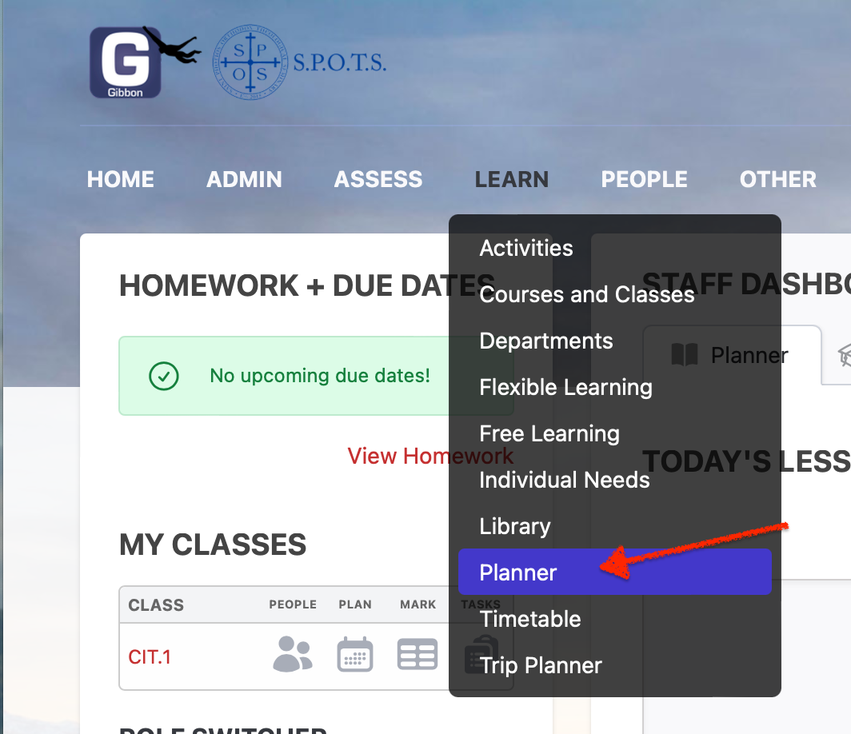
Go to Learn>
Planner
)
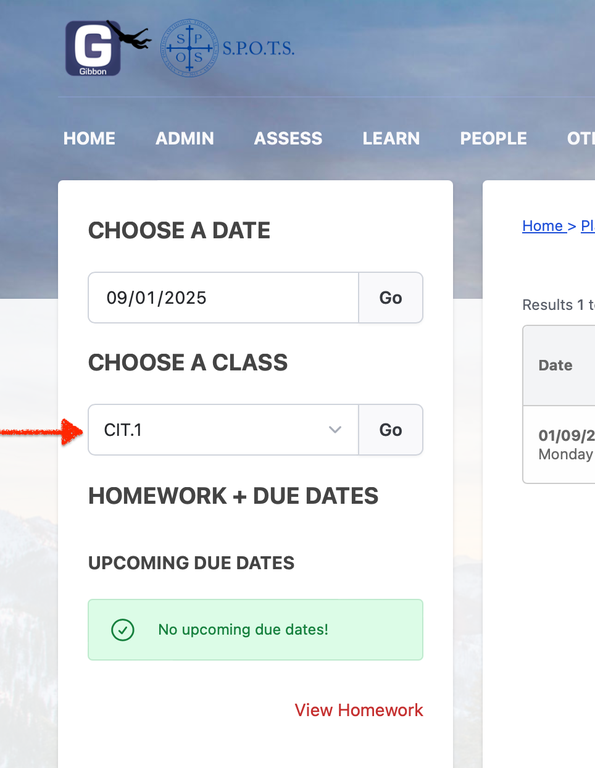
Choose a class from the popup menu then click Go.
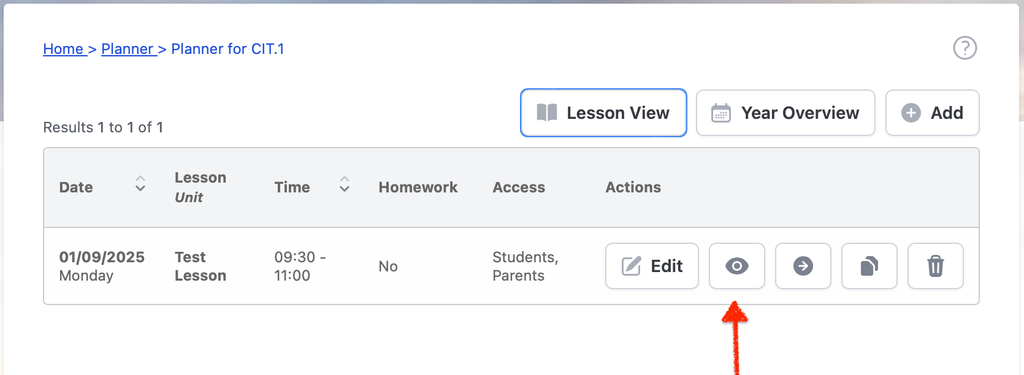
Click on the eye button to open a lesson:
Accessing Past Lessons
fv edited 3 months ago
×
No Content
Page Settings
×
Route
wiki/
Hide on Sidebar
Preview
Discard
Save
Toggle Dropdown
Draft
This page has been updated since your last edit. Your draft may contain outdated content.
Load Latest Version
Title
Content
Title
Enter title for the new Wiki Group
On this page
Accessing Past Lessons
How to open the Gibbon Planner
Review Changes
← Back to Content
Message
Status
Space
Raised By
Last update on
Load More